ESRI's
ArcGIS Explorer is a free digital globe for Windows - a two and three dimensional mapping tool with several base maps and supported data types. It will load and display all kinds of GIS data (shapefiles, geodatabases, rasters, connects to ArcGIS, etc) and also data like KML and GeoRSS.
If you have already created a gallery of geotagged images in one of the many photo sharing websites (e.g. Flickr, Picasa Web), you can easily ingest a feed (or data stream) of you photos with the geography intact. This feed is in the form of a GeoRSS file and is created each time it is called by ArcGIS Explorer - meaning your images are always up to date. The power in this approach is that you can select images from different galleries and different websites, displayed against a variety of base maps and other geography.
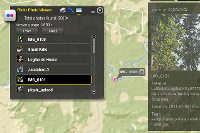
You can see my ArcGIS Explorer GeoRSS Photo map at ArcGIS.com.
To create your ArcGIS Explorer GeoRSS photo map
- For Flickr users, scroll to the bottom of your Photostream page and find the "geoFeed" link. You'll want to copy this URL and use it in ArcGIS Explorer. Be sure you have relevant location sharing options turned on.
- For Picasa Web Albums users, select a gallery, select an Album and find the "RSS" link. You'll need to copy this URL and use it later in ArcGIS Explorer. Note that you must have created an "Album Map" in order for the RSS feed to contain geographic data.
- Open ArcGIS Explorer and press "Add Content". Select "GIS Services".
- Press "New Server Connection".
- Change Server Type to "GeoRSS" and paste your geoFeed or RSS URL from Flickr or Picasa Web Albums.
- If you receive an error, the first and most likely problem is that all proper location sharing options in Flickr or Picasa Web Albums are not enabled. Revisit and try again.
You can repeat the above process until you've added all the geotagged photos you want. Change your base maps and add more geo data to make it yours.
Lastly, if you want to share your ArcGIS Explorer file, save your work as an .nmf (file) and upload to
ArcGIS.com. The accounts are free and take only a second to set up.
 What you can do:
